Documentation / LastHelp / Getting started
Your first repository
On this page
The structure is two levels, and they are the ones your forge already has:
- An organisation is a connection to a forge: its address, the account that owns the repositories there, and the credentials. It is not an org chart — a token cannot span two organisations on any forge, so the boundary is imposed rather than invented.
- A repository is one place people report about. You register only the ones you want feedback for.
A project spread over twenty repositories does not have to register twenty. Most register one and send everything there, because somebody reporting “the video stutters on my phone” does not know which of your twenty repositories that lives in, and should not have to.
Creating them
From the panel: Organisations in the sidebar, then Add an organisation — a name, an address, and which forge it connects to, or none. Open it and add a repository the same way.
Both can carry an icon, chosen in their settings: a repository’s is shown on the front page and on its organisation’s page, and an organisation’s beside its name on its own page. Without one, a repository shows its initials.
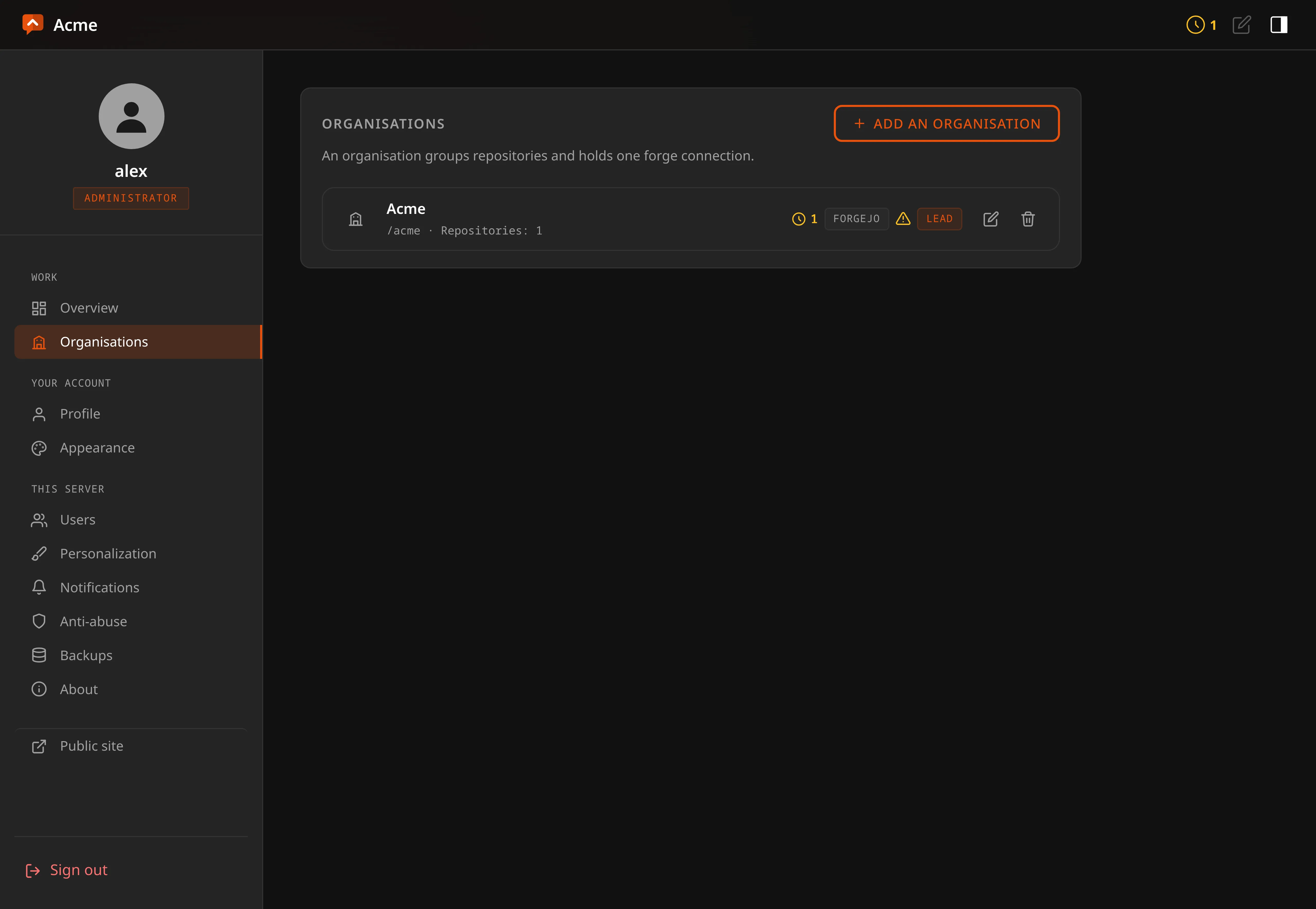
The first run does not ask for either of them. It configures the installation — language, the administrator account, and what this installation calls itself — and stops there. Organisations and repositories are the work, made and unmade for years after that screen is gone.
Or over the API, which is what the panel calls:
# The address of your instance, and a session from signing in.
BASE=http://localhost:8080

curl -X POST "$BASE/api/organizations" \
  -H 'Content-Type: application/json' \
  -H "X-CSRF-Token: $CSRF" -H 'Sec-Fetch-Site: same-origin' \
  -b cookies.txt -c cookies.txt \
  -d '{"slug":"acme","name":"Acme","forge":"forgejo",
       "base_url":"https://git.example.com","forge_owner":"acme"}'

curl -X POST "$BASE/api/orgs/acme/repositories" \
  -H 'Content-Type: application/json' \
  -H "X-CSRF-Token: $CSRF" -H 'Sec-Fetch-Site: same-origin' \
  -b cookies.txt -c cookies.txt \
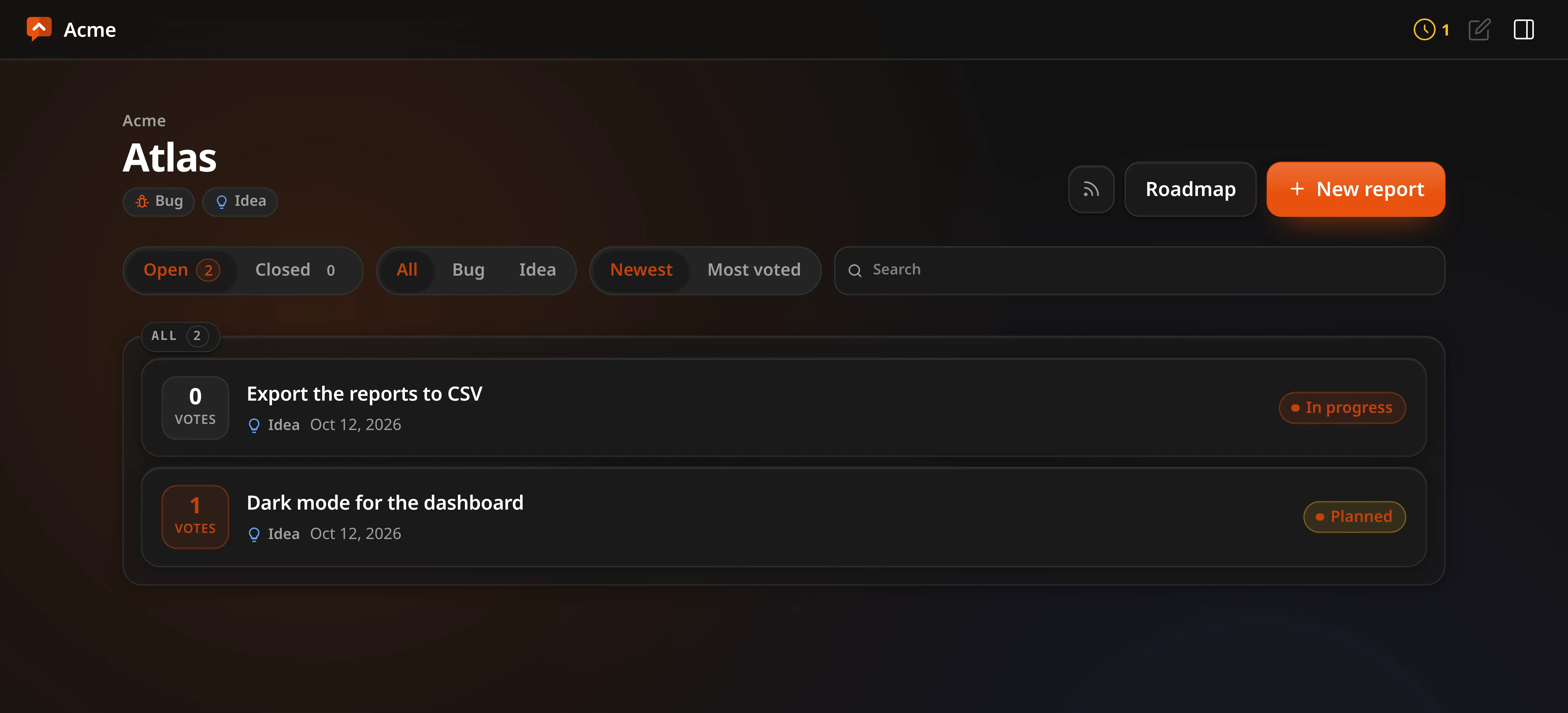
  -d '{"slug":"atlas","name":"Atlas","accepts_bugs":true,"accepts_ideas":true}'
The repository is then at /acme/atlas, its roadmap at
/acme/atlas/roadmap, and its feed at
/feed/acme/atlas/atom.xml.
forge may be github, gitlab, gitea, forgejo or none. none is a
supported way to run, not a placeholder: everything except turning an item into
an issue works without a forge, and the screens say there is none rather than
offering buttons that fail.
Bugs and ideas are two different journeys
They are asked different things and treated differently, on purpose:
- A bug is asked which version and how to see it happen. Two optional boxes, and they are the difference between a report somebody can pick up and one they have to go and ask about. They travel with it: onto the public page, into the export, and into the forge issue under the description.
- An idea is asked neither. An idea is the sentence somebody wrote, and every extra box on a public form is somebody deciding not to bother.
- A bug is not voted. Two hundred people agreeing that something crashes does not make it crash harder; what it needs is somebody able to reproduce it. Its statuses are new, confirmed, fix in progress, fixed, couldn’t reproduce.
- An idea is voted, and its value is not reaching your issue tracker yet. That is what stops the tracker turning into a wishlist with a thousand open entries. Its statuses are new, planned, in progress, shipped, declined.
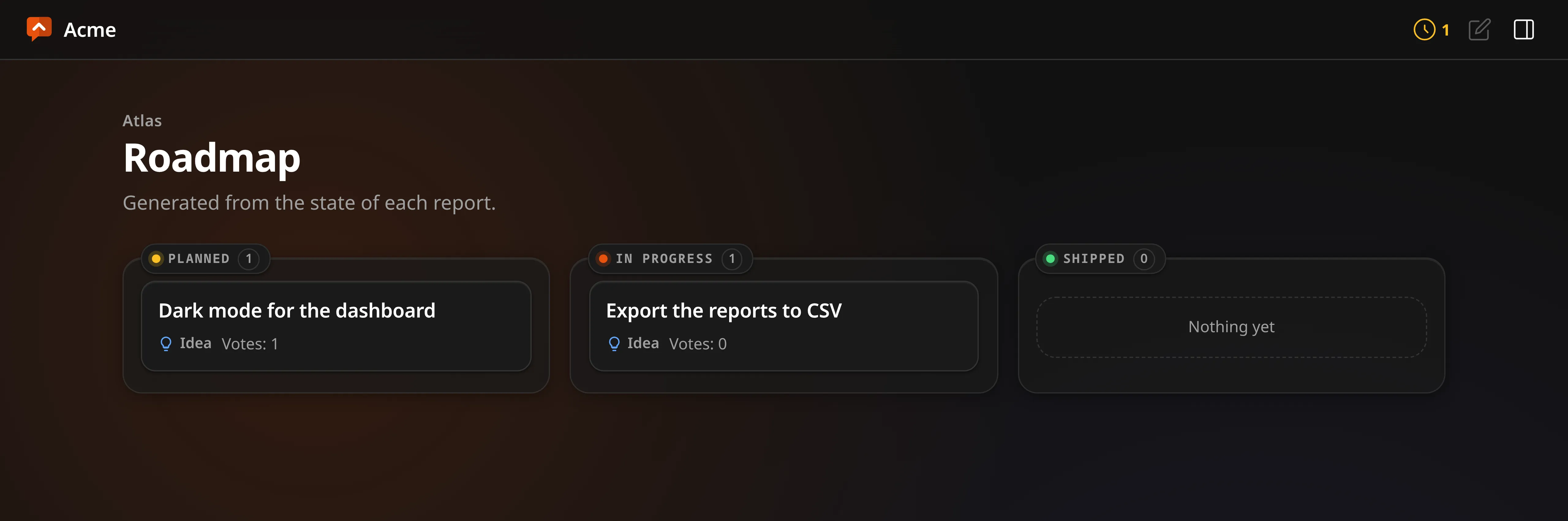
Both land on the same three roadmap columns, because to somebody reading it a confirmed bug and a planned idea are the same news.
Who can do what
| Level | Role | Can |
|---|---|---|
| Server | Administrator | Everything, and the only one who crosses organisations |
| Organisation | Lead | Its connection and its token, its repositories — including deleting them —, who works in it, and deleting reports. Ending the organisation itself is the administrator’s |
| Repository | Collaborator | Triage that repository: moderate, edit, change status, reply, edit and delete comments and replies, create and link issues. Never sees the token |
Accounts are created by the administrator, under Users. Who works where is given where the work is: leads on the organisation’s page, collaborators on each repository’s page — by the administrator or by any lead of that organisation.
That last line of the table is the reason the two levels exist. Somebody trusted to triage one repository is not automatically somebody trusted with a credential that can write to every repository the organisation owns.
Votes are a signal, not a ballot
A voter is a random identity in a signed cookie, never an address — behind a household router or a mobile carrier the address is shared, so keying votes on it would let one neighbour spend everybody else’s vote and make a whole office count as one person.
The honest consequence: clearing the cookie allows a second vote. That is a documented limit rather than a defect. The alternative is asking people to create an account, which is the thing this product exists not to do, so treat a vote count as a signal of what is popular rather than as a count of people.
An answered idea stops taking votes. When you mark an idea done, declined or closed, its page keeps the number and loses the button, and a vote can no longer be given or taken back, so the count is what people wanted when you answered. Reopen the idea and voting opens with it.
An answered report stops taking comments, after a grace of 48 hours. For visitors it is the same moment votes stop, for an idea and for a bug: the thread stays on the page, the comment form is replaced by a line saying it is closed, and a comment sent from a page opened earlier is refused. The person who reported it, holding their follow link, and you keep the form for 48 hours after the answer, with a line saying until when: an answer is rarely the end of the exchange, and the reporter is the one who can say whether the fix worked. After that the conversation closes for everybody. Answering again starts the 48 hours again; reopening the report opens the conversation at once. Pictures follow the same rule as the message they go on. You can still edit or delete what is already there.
What you close stays where people can read it. A declined idea or a bug you could not reproduce moves to the board’s Closed tab with its votes and its thread, and the status says what you decided: a delivered one is solid and green, a declined one has a dashed edge and a hollow dot. On the Closed tab, two switches, Done and Not done, narrow it to what was delivered or to what you turned down, each with its count; pressing the one that is on shows both again, and the choice is in the address, so it can be sent. It is also what somebody sees when they start typing the same thing: the similar reports under the title include closed ones with that status, and the line beside them says a closed report takes no more votes, so they read what was decided before asking again.
Votes are there to point you at what people want, not to decide it. Anybody can vote again by changing browser, clearing cookies or changing address, and that is accepted: the voter cookie lasts a year, and past that the number is still only a guide.
Pictures
A screenshot is often the quickest way to show a bug, so a report can carry pictures.
- Who adds them. The person reporting, on the form — up to five — and on their own follow-ups, up to three each, with their secret link. Your team, on its replies, up to three each. A visitor’s comment carries words only.
- What happens to them. The browser makes each one smaller before it is sent. The server then draws it again from its pixels, at most 1600 pixels on its longest side plus a small copy for the report page. Anything else the file carried is not kept: the place a phone photo was taken, the camera, anything hidden after the image.
- Who sees them. A picture waits with what it belongs to. Until you approve the report, or the follow-up, only your team and the reporter see it, even with its address. That is the moment to look at each one: you can take out a single picture and approve the rest, because a report can be right while one screenshot shows something it should not.
- Taking one back. The reporter can remove their own from their report’s page. Your team can remove any.
- When they go. Thirty days after a report is closed, so reopening it in that time loses nothing. At once when a report or a message is rejected, marked as spam or deleted. When you fold a duplicate into another report, the pictures on the duplicate move to the one that stays.
- Limits. Twenty pictures per report, counting every message on it, and 2 MB per picture as it arrives. The whole installation keeps at most 512 MB of pictures. When that is full, new ones are refused with a message that says so.
Each repository has a switch for this in its settings, Images from reporters and the team, on by default. Turn it off and the forms stop offering pictures.
Pictures live in the database, so a backup includes them. A repository’s JSON export, below, does not.
Taking your data with you
Every repository exports as JSON, from its page in the panel or at
/api/orgs/<org>/repos/<repository>/export. It carries everything the operator
decided — the published items, the queue, the rejections, the merged duplicates,
the comments and the issue links — because an export that showed only the
approved half would misrepresent the record.
It deliberately carries no reporter email addresses and no follow tokens. Taking your data with you must not mean taking everybody’s: those addresses are personal data collected for one purpose, and a follow token is a credential.
The roadmap
Both journeys land on the same three columns, and all three are always drawn — showing only the ones with something in them leaves a reader working out which two of three they are looking at.