
Documentation / LastHelp / Administration
Updating
On this page
Three ways, and the right one depends on how you installed.
From the panel
Sign in as the administrator. When something newer is released, the panel icon in the top bar carries a red dot and About in the sidebar says New update!.
Open About. Under the version it says whether there is something newer — or why it could not check — and when there is, Update opens a dialog with the two versions, a link to what is new, and every step listed. Confirm it there and each step turns green as it is done; the page reloads once the new version answers. Check for Updates asks again.
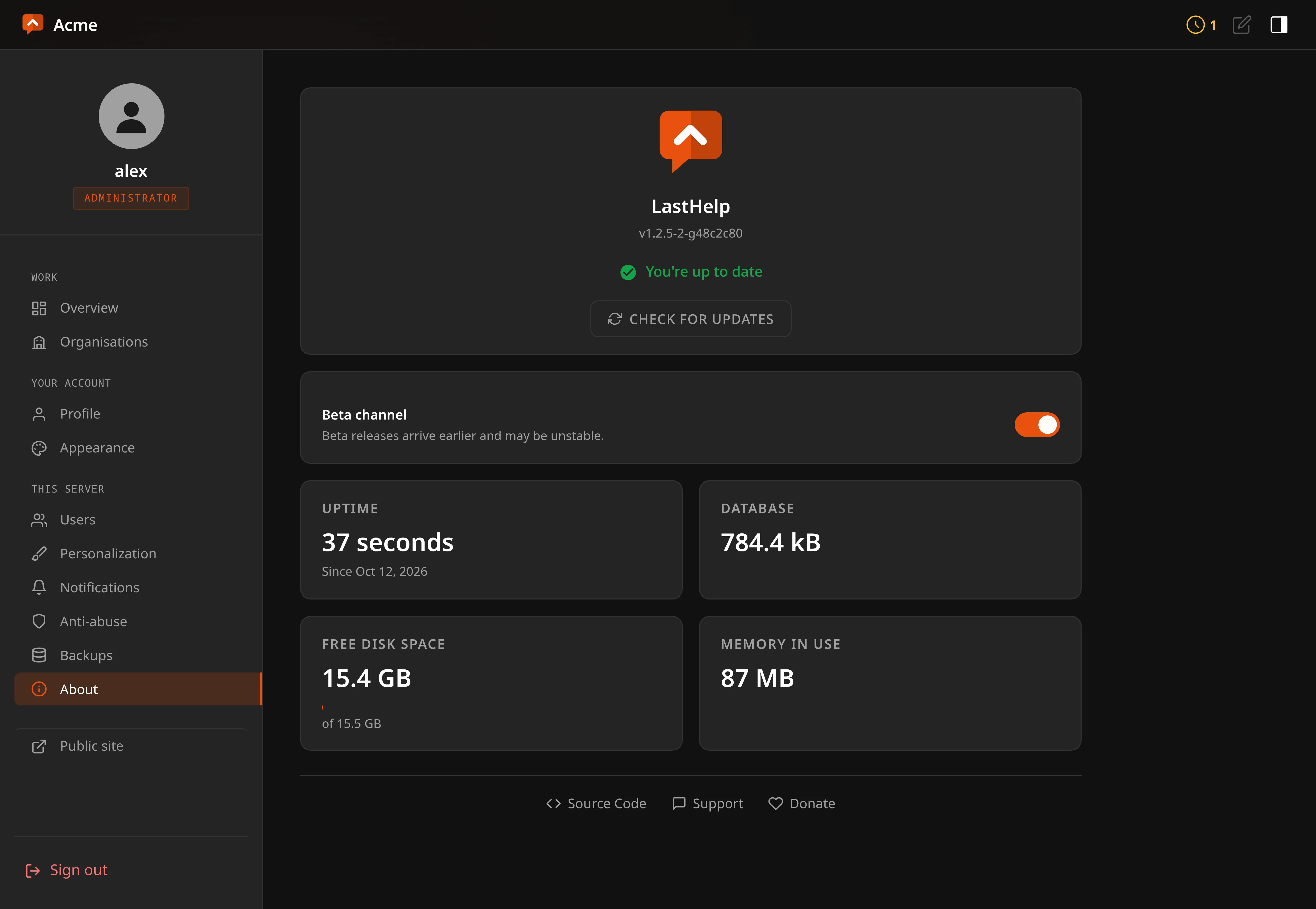
The release channel is the switch just below. Following betas is remembered on the server rather than in a browser, because a setting that forgets itself between visits is one nobody trusts.
What it does, in this order, and each step either proves something or stops:
- Refuses outright if this build has no release keys. No key does not mean accept anything.
- Fetches the checksums, then their signature. A missing signature aborts. It never falls back to checksum-only: a host that could tamper with the binary could also delete the signature, and a fallback turns that into a way to strip the check rather than a failure.
- Verifies the signature. Only a verified checksum file is allowed to say what the binary should hash to.
- Downloads the binary, bounded.
- Checks it against those checksums.
- Runs it. It has to start on this machine and report what it is — which catches the wrong architecture, a truncated download, a missing library: every way a download can be intact and useless. Finding that out after the swap means finding out by being down.
- Refuses it if it understands an older schema than your database. With a beta channel somebody eventually tries to install an older binary over a newer database, and the failure without this guard is not a crash — it is an old binary writing rows that ignore columns it does not know about.
- Backs up the database, next to it, named after the release going in.
- Only now replaces the binary and restarts.
Anything that fails leaves the running binary untouched and says which step it was.
With the installer
curl -fsSL https://git.codigosh.com/CodigoSH/LastHelp/raw/branch/main/install.sh | sudo shRun it again and it updates: it tells you which version you have, keeps the
port and settings it finds, backs up the database, and does the same
verification the panel does — with openssl instead of Go.
When you already have the latest version it says so and stops, changing
nothing. Add --reinstall (… | sudo sh -s -- --reinstall) to install it
again anyway, to repair a damaged binary.
In a container
Pull a new image. About says so, and whether a newer one exists, rather than offering a button: replacing the binary inside a container works until the next restart and then silently reverts, which is worse than not offering it.
docker compose pull && docker compose up -dIf an update goes wrong
The backup is beside the database, named lasthelp.db.before-<tag>. Stop the
service, put it back, install the previous release, start again.
The binary refuses to run against a database newer than it understands, so downgrading without restoring the backup stops at startup with a message rather than by corrupting anything.