
Documentation / Lastboard / Widgets
Weather Widget
On this page
The Weather widget shows the current conditions for a place you choose, and optionally the days ahead.
Description
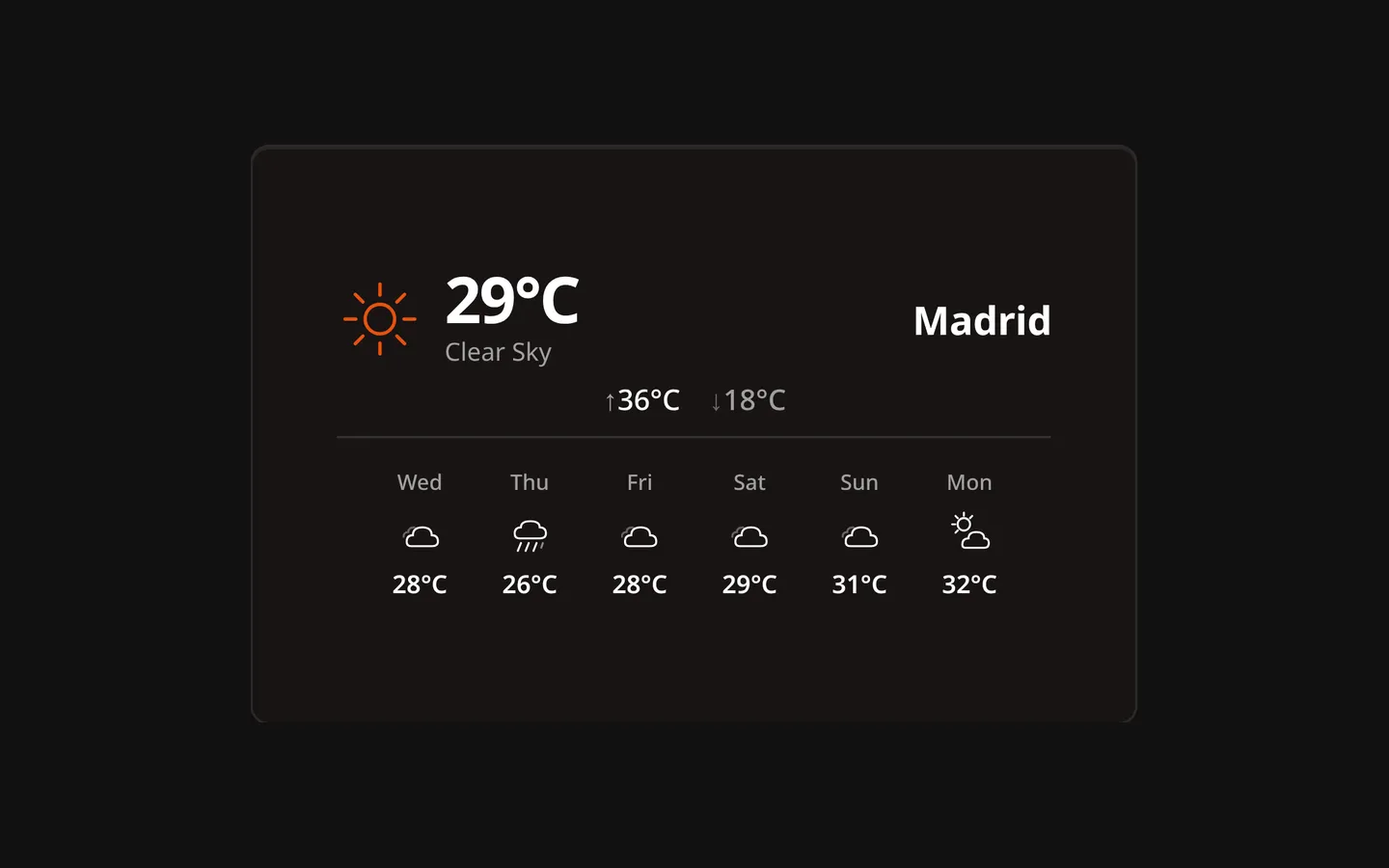
Current temperature, an icon and a description of the sky, and today’s high and low. Turn the forecast on and the same information moves into a compact header with a row of the coming days below it.
Data Source
Weather comes from Open-Meteo. There is no API key and no registration. The request is made by your browser, not by the Lastboard server, so the browser you read the dashboard on needs to be able to reach open-meteo.com.
Choosing a location
The settings open on their own the first time you add the widget. Type a city, press Search, and pick a result — the coordinates fill in for you. You can also type the latitude and longitude yourself, which is the way to point the widget at somewhere no search will find.
The coordinates are what the widget actually uses. Until they are set it shows “Choose Location”. The city name is only a label: change it and the weather stays the same.
Configuration Options
| Option | Default | Description |
|---|---|---|
| City | Empty | The name shown on the widget, and what the search box looks up. |
| Coords | Empty | Latitude and longitude. Filled in by the search, editable by hand. |
| Show Forecast | Off | Add a row of coming days under the current conditions. |
| Forecast Days | 5 | How many days that row holds, from 1 to 6. Only shown when the forecast is on. |
The Personalize tab adds a border color and a border width (Thin, Regular or Thick) for the widget’s card. The General tab begins with the Title — a name shown on the tile’s top border, like the one a section wears (leave it empty for none).
The forecast row
The row starts with tomorrow — today is already the big temperature above it. Each day gives its name, an icon and the day’s high; hover one for the rest:
| Element | Meaning |
|---|---|
| Date | The full weekday, day and month. |
| Description | The sky for that day. |
| High / Low | The day’s maximum and minimum temperature. |
| Sunrise / Sunset | Local times for that location. |
| Wind | The strongest wind expected that day. |
Notes
- Weather is refreshed every 15 minutes, and that interval is fixed. A response is reused for those 15 minutes, so several widgets on the same coordinates make one request between them.
- If a request fails the widget retries quietly a couple of times before showing an error state, and tries again at the next refresh.
- Temperatures and wind speeds follow Measurement Units in your preferences: °C and km/h, or °F and mph.
- This widget has no resize handle in Edit Mode: it keeps the size it was added at, and its contents scale to fit.