
Documentation / Lastboard / Getting started
Installation
On this page
Get Lastboard up and running using your preferred method. We officially support Docker and native Linux installations.
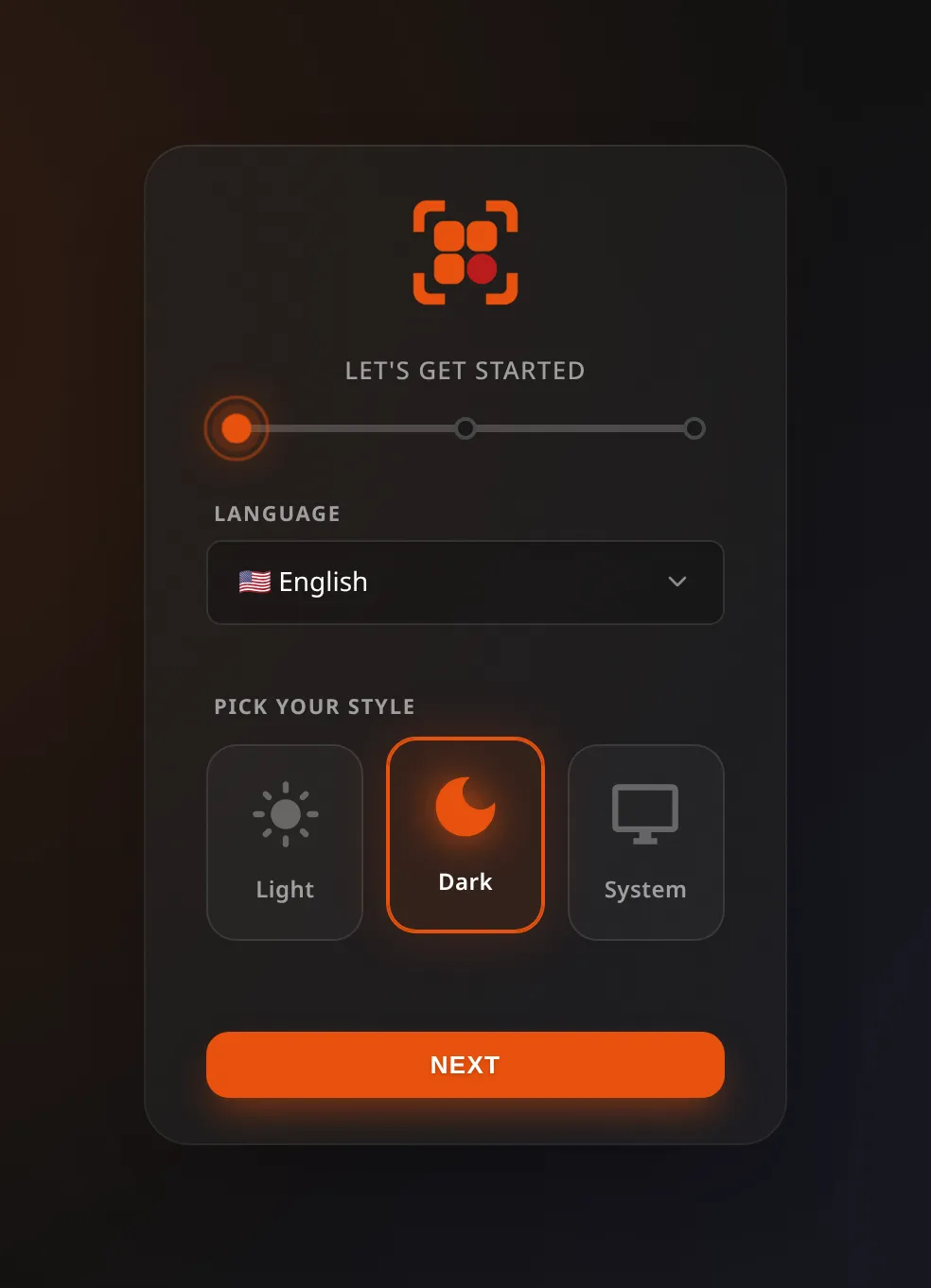
The first time you open Lastboard it walks you through three steps: your language and theme, the admin account, and a summary. There is nothing to configure before that — the wizard creates the database on the spot.
Requirements
- Docker Method: Docker and Docker Compose installed.
- Native Method: Linux OS (amd64 or arm64).
Method 1: Docker (Recommended)
The easiest way to install Lastboard is via Docker Compose. Images are published to our self-hosted registry at git.codigosh.com.
Note: If your Docker daemon returns an authentication error when pulling the image, log in first:
docker login git.codigosh.com
Create a docker-compose.yml file with the following content:
services:
  lastboard:
    image: git.codigosh.com/codigosh/lastboard:latest
    container_name: lastboard
    ports:
      - "8080:8080"
    environment:
      - TZ=America/New_York
      # - TRUST_PROXY=true   # Uncomment if running behind a reverse proxy
    volumes:
      - ./data:/var/lib/lastboard
    restart: unless-stopped
    logging:
      driver: "json-file"
      options:
        max-size: "10m"
        max-file: "3"
Start the container:
docker compose up -dMethod 2: Native Linux Installation
You can install Lastboard directly on your host machine using our automated script. This sets up a systemd service and runs the application.
Run the following command:
curl -fsSL https://git.codigosh.com/CodigoSH/Lastboard/raw/branch/main/install.sh | sudo bashRunning it again
The same command updates an existing installation. It reads the port and proxy setting from your service, tells you which version you have, and installs the latest only if it is different:
- Newer release available — it shows
Updating v1.9.2 → v1.9.3, takes a copy of your database and replaces the binary. - Already the latest — it says so and stops, touching nothing: no download, no database copy, no restart.
- Install it anyway — to repair a damaged binary, or to answer the reverse-proxy question
differently, add
--reinstall:
curl -fsSL https://git.codigosh.com/CodigoSH/Lastboard/raw/branch/main/install.sh | sudo bash -s -- --reinstallRemoving it
The installer does not leave a copy of itself on your machine, so there is no
install.sh to run. Fetch it again and pass the option through:
curl -fsSL https://git.codigosh.com/CodigoSH/Lastboard/raw/branch/main/install.sh | sudo bash -s -- --uninstallThe -s -- is what hands --uninstall to the script instead of to bash. This stops and
disables the service, removes the unit, the binary and the symlink, and leaves your database
where it is, in /var/lib/lastboard.
To delete the data and the service account as well, add --purge:
curl -fsSL https://git.codigosh.com/CodigoSH/Lastboard/raw/branch/main/install.sh | sudo bash -s -- --uninstall --purgeIt asks you to type DELETE first, and refuses outright when there is no terminal to ask
on — so it cannot erase a database from a script.
If you saved the script to a file,
sudo bash install.sh --uninstall(and--purge) does the same.
First Run
Once Lastboard is running, it will be available on port 8080 by default. Open your browser and navigate to http://your-server-ip:8080.
You will be greeted by the Setup Wizard, which walks you through creating your first admin user. Zero configuration files to touch!
Installing it as an app
Lastboard ships a web app manifest, so a browser can install it to the home screen or the desktop and open it in its own window with no address bar. Nothing to enable: the manifest is linked from the dashboard and from the login page, which is the page you land on from a phone with no session.
- Android (Chrome) — the menu offers Install app. It is minted as a real WebAPK, with the Lastboard icon and no browser badge on it.
- Desktop (Chrome, Edge) — an install control appears at the end of the address bar.
- iOS (Safari) — Share → Add to Home Screen.
It needs HTTPS with a certificate the device trusts. Over plain
http://on the LAN, or with a self-signed certificate, no browser will install it — put Lastboard behind a reverse proxy with a real certificate first (see below). Browsers that do not mint WebAPKs themselves — Brave and Firefox on Android — place a shortcut instead, and their launcher stamps their own badge on the icon. That is the browser, not Lastboard.
There is no service worker, so an installed Lastboard is a window onto your server, not an offline copy: it needs to reach the server the same way the browser tab does.
Reverse Proxy Setup
If you plan to use a reverse proxy, you must set the TRUST_PROXY=true environment variable.
Nginx Example
server {
    listen 80;
    server_name dashboard.example.com;

    location / {
        proxy_pass http://127.0.0.1:8080;
        proxy_set_header Host $host;
        proxy_set_header X-Real-IP $remote_addr;
        proxy_set_header X-Forwarded-For $proxy_add_x_forwarded_for;
        proxy_set_header X-Forwarded-Proto $scheme;

        # WebSocket support
        proxy_http_version 1.1;
        proxy_set_header Upgrade $http_upgrade;
        proxy_set_header Connection "upgrade";
    }
}
Caddy Example
dashboard.example.com {
    reverse_proxy 127.0.0.1:8080
}