
Lastboard
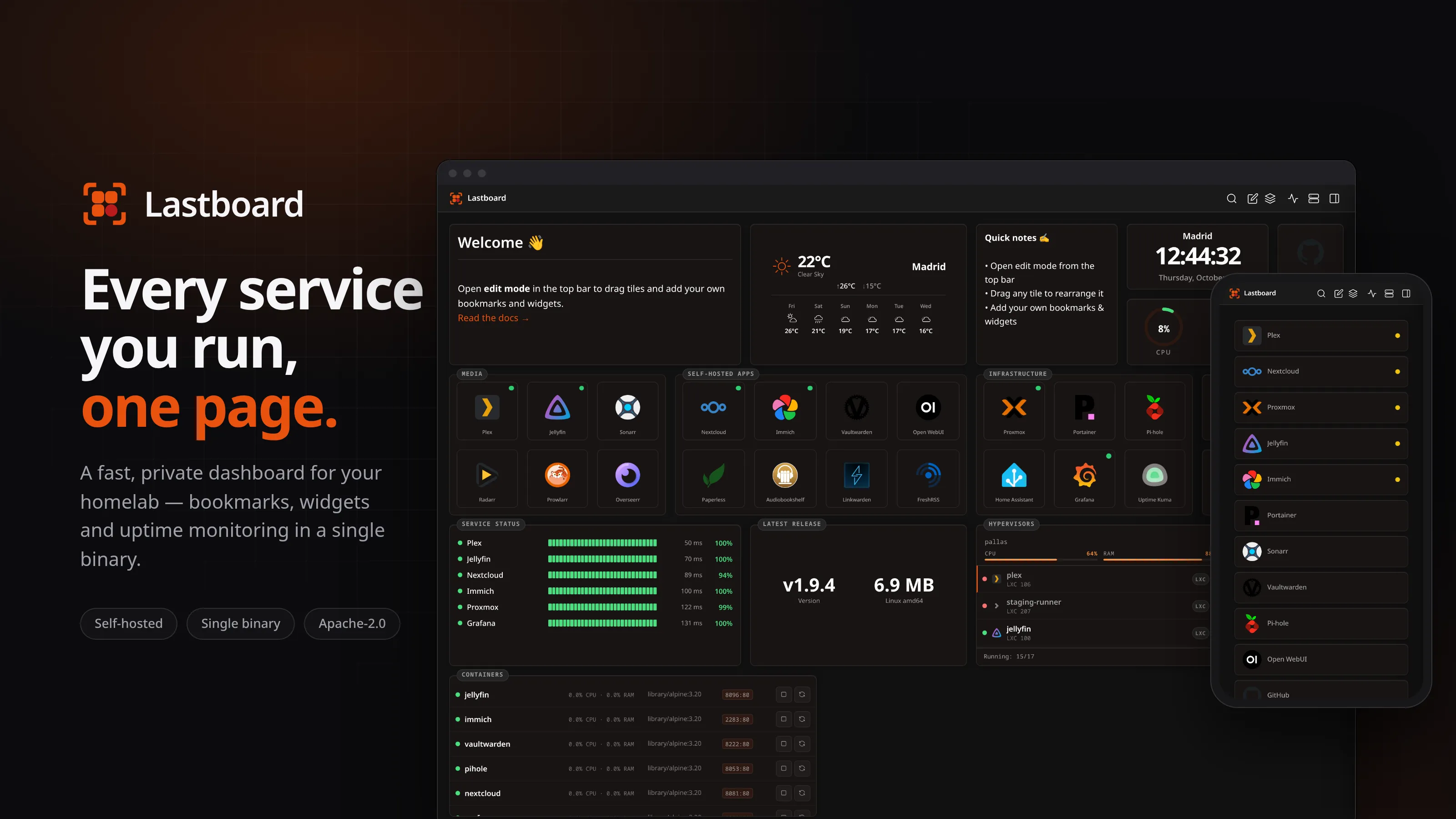
A fast, private, self-hosted dashboard and startpage for your homelab — bookmarks, widgets, uptime monitoring, Docker and Proxmox, in a single binary.
Run it
One command, with Docker or on Linux. Releases are signed, and the install guide is in the documentation.
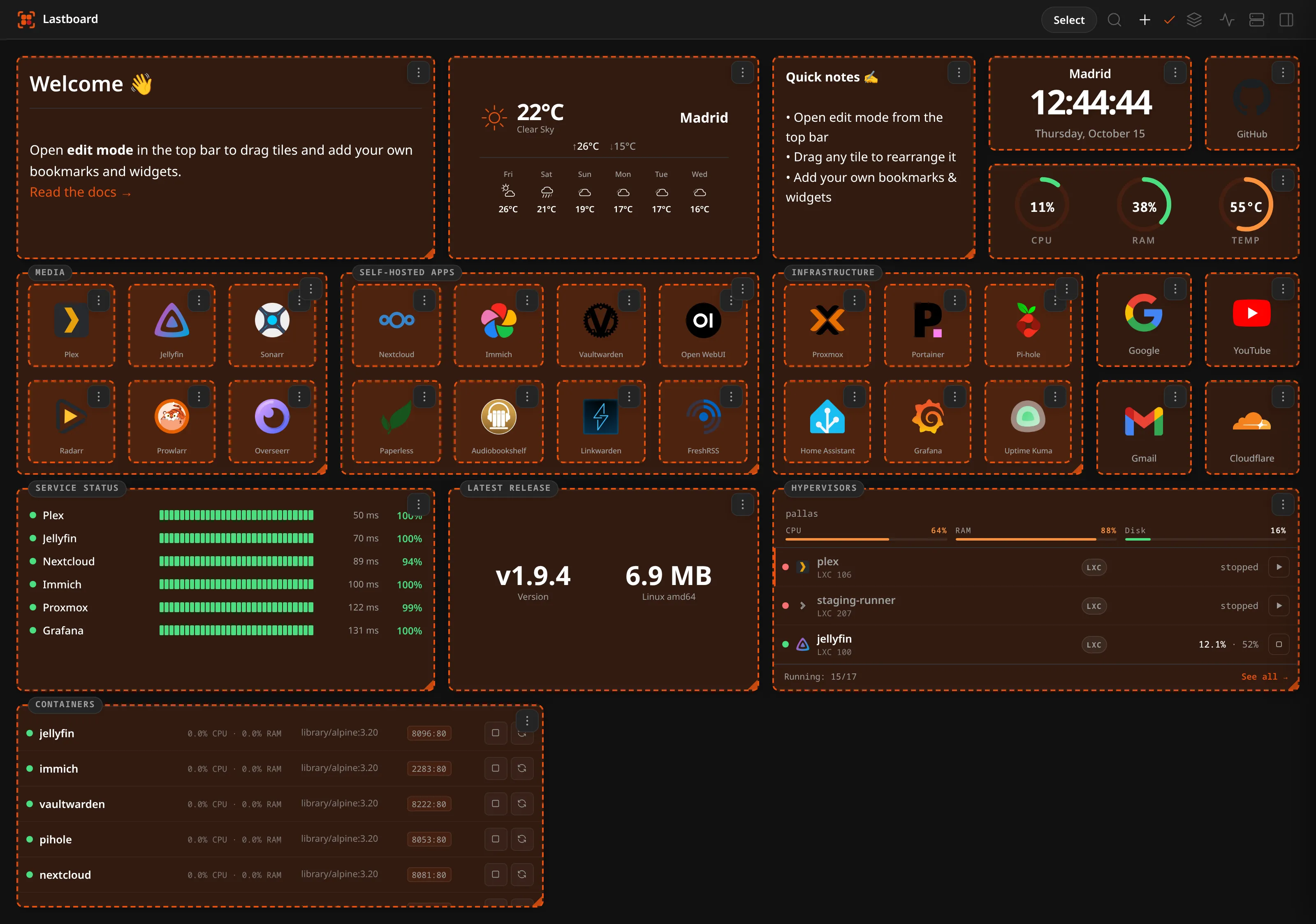
$docker pull git.codigosh.com/codigosh/lastboard:latest$curl -fsSL https://git.codigosh.com/CodigoSH/Lastboard/raw/branch/main/install.sh | sudo bashScreenshots
Click one to enlarge
Features
18 in all
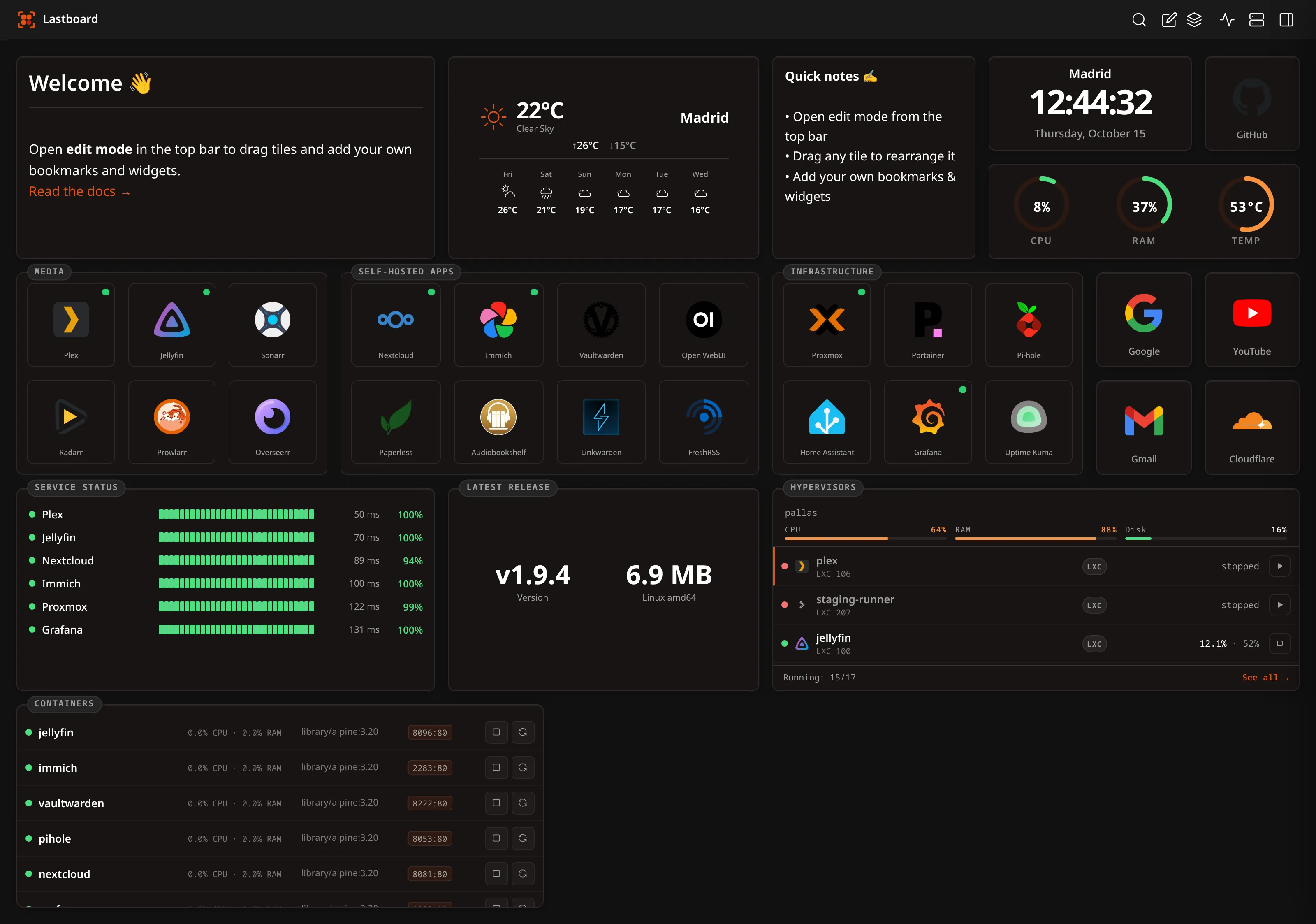
Native drag-and-drop grid
A 60fps grid written from scratch in plain JavaScript — no framework, no grid library. Drag tiles anywhere and resize them a cell at a time; a live outline shows where a tile will land and turns red when the target is taken, so nothing is ever pushed aside behind your back.
Bookmarks that show what is up
Each bookmark is a tile with an icon, a label you can place above, below, inside or hide entirely, its own border colour and width, and an optional status dot in any corner that says whether the service is actually answering.
Sections and multiple dashboards
Group bookmarks into sections that travel as a unit, and keep as many independent dashboards as you like — each with its own layout, switched from the top bar and reorderable by drag. Move items between them one at a time or in bulk.
Nine built-in widgets
Clock, server health, weather, notepad, markdown, uptime monitoring, Docker, Proxmox and a generic API widget. Each one resizes on the grid and carries its own border colour and width.
Server Health for any server
The ring gauges show CPU, RAM and temperature of the machine Lastboard runs on, or of another one through Glances, Netdata or any JSON endpoint. A test button says what answered and what that server does not report; a metric it lacks draws a grey ring instead of a false zero, and an unreachable server greys them all.
Any JSON API as a tile
The API widget turns any JSON endpoint into live metrics or a scrolling list. Sixteen guided presets — AdGuard, Paperless-ngx, Immich, Jellyfin, Sonarr, Radarr, SABnzbd, Tautulli, Overseerr, Bazarr, Prowlarr, Home Assistant, Uptime Kuma, Forgejo, Speedtest Tracker, Nextcloud — or full manual control over URL, headers, paths and formatting.
All 18 features
Credentials kept apart from the board
API keys, header values and Docker agent tokens are stored on your server separately from the widgets. They show as dots, are never sent back to your browser and never travel with the board or a dashboard export.
Built-in 24/7 uptime monitoring
A server-side scheduler probes your services whether or not anyone has the dashboard open, with a 1 to 30 minute interval and 30 days of history. No second tool to deploy, no exporter, no agent.
Latency charts and outage logs
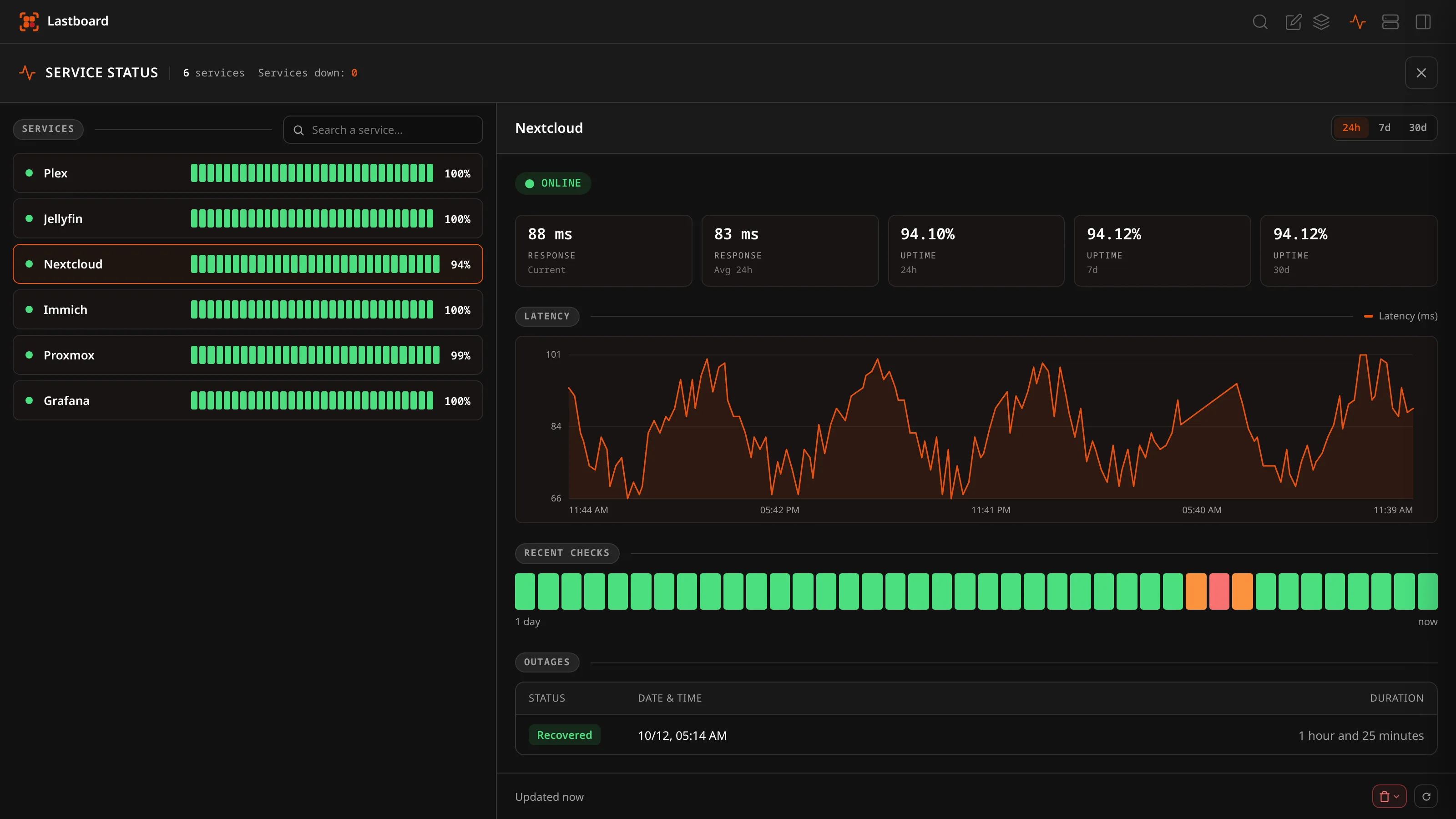
Every service gets a detail view over 24 hours, 7 days or 30 days: uptime percentages, current and average response time, a latency chart with a hover crosshair, a heartbeat strip and a table of outages with durations and recoveries.
Alerts when things break
Get notified the moment a service goes down and again when it recovers, via ntfy, Gotify or a webhook, with a configurable failure threshold so a single blip does not wake you — and a test button to prove delivery before you rely on it.
Docker, local and remote
List and control containers from one or many hosts at once, with live CPU and RAM and start, stop and restart. Reach remote daemons over TCP, TLS or the Lastboard Agent — a tiny token-authenticated bridge, so the Docker socket never goes on the network.
Proxmox VE beside your services
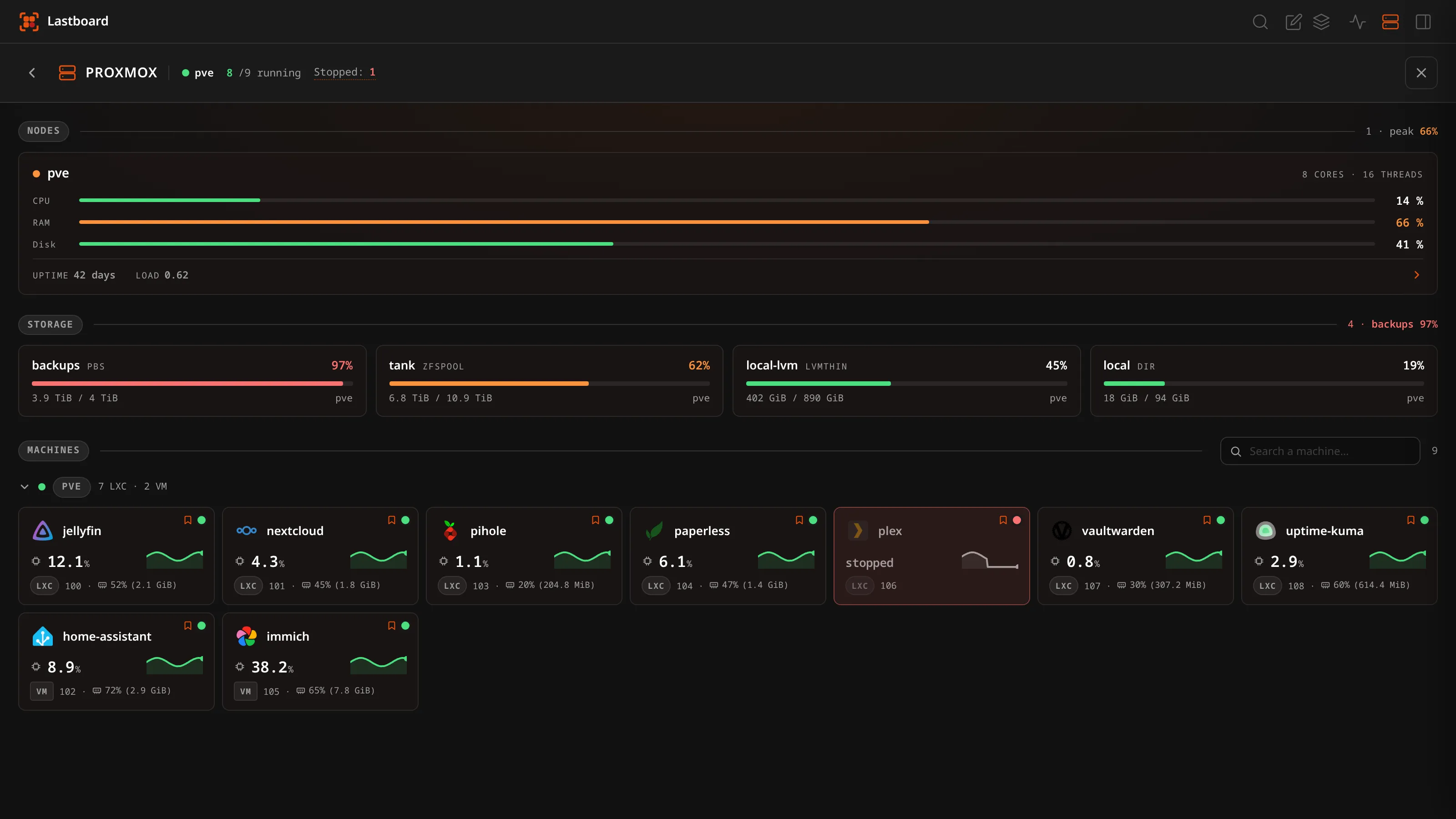
Read your hypervisor with a read-only API token: node load, storage fullness and every VM and container with a 24-hour CPU trend. Every account connects its own hypervisors and sees only those. Power control is optional and only on the hypervisors you connected, and nodes can never be shut down from Lastboard.
A stopped container names the service it took down
Machines are matched to your bookmarks automatically, by name and by the icon a bookmark wears. Measured on a real host of 29 containers and 55 bookmarks with nothing configured: 16 matched, none wrongly — so an outage reads 'this stops responding: Plex', not 'CT 106 is stopped'.
Icons served from your own server
Whichever way you pick an icon, it is downloaded once by your instance and served from your own database from then on. Loading your board tells no public CDN your address or which services you run, and it keeps working with the internet down.
Import and export, no lock-in
Migrate from Homepage or Dashy in seconds, export your dashboards as open documented YAML, and take a full backup — users, layouts, settings and every stored icon — as a single file you can restore anywhere.
Twenty languages, right-to-left included
Hand-translated into twenty languages with full right-to-left layout for Arabic, Farsi and Urdu. The language is applied on the server for the first paint, so even the login page arrives in yours instead of flashing English.
Yours alone, and hardened
Signed releases verified with Ed25519, a strict CSP with a per-request nonce, CSRF plus Sec-Fetch-Site checks, rate limiting and a login lockout, and optional unprivileged execution. No telemetry, no analytics, no account anywhere.
Truly self-hosted, truly small
One static Go binary or one Docker image, one SQLite file, zero runtime JavaScript dependencies and no CGO. It runs comfortably on a Raspberry Pi or a 512 MB container, and first run is a three-step browser wizard with no config file to write.
Use cases
What people run it for
Your homelab startpage
Make Lastboard your browser's new-tab page and reach every self-hosted service — Proxmox, Jellyfin, Immich, Home Assistant — from one place, with a dot on each tile telling you it is up before you click it.
A dashboard for the whole household
Multiple accounts, each with their own dashboards, layouts, language, theme and units, their own monitoring and alert channel, and their own Proxmox connections. One administrator holds the server-wide settings; everyone else just gets the view that suits them.
Keep an eye on your services
Turn on 24/7 monitoring and Lastboard records uptime, latency and outages for every bookmarked service, and pings your phone through ntfy or Gotify before anyone else notices.
A control panel for your containers
See containers from several Docker hosts in one list, watch their CPU and memory live, and start, stop or restart them without opening a terminal or exposing the daemon.
The view your hypervisor cannot give you
The Proxmox console administers the cluster better than anything else. What it cannot tell you is that Plex stopped answering because container 106 is down — because it has never heard of your bookmarks. Lastboard has.
A start page on the office wall
Point a kiosk or a spare tablet at a dashboard of status dots, monitoring tiles and node health. It refreshes itself, needs no interaction, and is installable as an app so there is no address bar in the way.
A self-hosted alternative to Homepage, Dashy, Homarr and Heimdall
If you have used Homepage, Dashy, Homarr or Heimdall, Lastboard will feel familiar — but it ships as a single binary with no YAML to hand-edit before you see a screen, a native drag-and-drop grid instead of a configured layout, and uptime monitoring with history, latency charts and alerts built in rather than bolted on or delegated to a second tool like Uptime Kuma. Docker container control and a Proxmox VE view come in the same binary. You can import your existing Homepage or Dashy configuration and keep your current layout, and export back out to open YAML whenever you like, so trying it costs you nothing.
Frequently asked questions
Is Lastboard free and open source?
Yes. Lastboard is free and open source under the Apache License 2.0. You can read, run, fork and self-host it however you like, and the licence explicitly reserves only the names and logos.
How do I install it?
Run the single static Go binary directly on Linux (amd64 or arm64) with the one-line install script, or use the Docker image. Data lives in a single SQLite file, so there is no separate database to set up and no configuration file to write — the first run is a three-step wizard in the browser.
How much does it need to run?
Very little. It is one static binary with a pure-Go SQLite driver and no CGO, and the frontend ships zero runtime JavaScript dependencies. It runs comfortably on a Raspberry Pi or a 512 MB LXC container.
Does Lastboard work behind a reverse proxy?
Yes. It runs behind Nginx, Traefik, Caddy, Cloudflare or Pangolin. Enable the TRUST_PROXY option so rate limiting and the login lockout see the real client IP, and set TRUST_PROXY_HOPS if more than one proxy sits in front.
Can I import my Homepage or Dashy dashboard?
Yes. Lastboard imports Homepage services.yaml and bookmarks.yaml and Dashy conf.yml, creating new dashboards without touching or overwriting what you already have, and telling you how many items it will create before it creates any.
Does it monitor whether my services are up?
Yes. Enable 24/7 monitoring and a server-side scheduler probes every bookmarked service on a 1 to 30 minute interval, recording 30 days of status, latency and outages — and alerting you through ntfy, Gotify or a webhook when something goes down and again when it recovers.
Do I need a separate uptime tool like Uptime Kuma?
No. Monitoring is part of Lastboard: the same bookmark you click to open a service is the thing being monitored, so there is nothing to configure twice and no second container to run.
Can it manage my Docker containers?
Yes. Lastboard lists containers from the local socket, from remote TCP or TLS daemons, or through the Lastboard Agent, shows their live CPU and memory, and lets an administrator start, stop and restart them. The agent means you never have to expose the Docker socket on the network.
What can it do with Proxmox?
It reads a Proxmox VE host with an API token and shows node load, storage fullness and every virtual machine and container, each tied to the bookmark it serves so a stopped machine names the service it takes with it. Start and shutdown are optional, only on the hypervisors you connected, and never offered for a node.
Does Lastboard send any data anywhere?
No. There is no telemetry, no analytics and no account. Icons you pick are downloaded once and then served from your own server, so loading your dashboard does not tell a public CDN your address or which services you run. The only request Lastboard makes on its own is the update check, and it goes straight to our own Forgejo.
Is it secure enough to expose?
It is built for it: passwords hashed with Argon2id, HMAC-signed session cookies, CSRF plus a Sec-Fetch-Site check, a strict Content-Security-Policy with a per-request nonce, rate limiting with a login lockout, signed releases verified with Ed25519, and optional unprivileged execution. It is still self-hosted software — put it behind HTTPS.
Can several people use one instance?
Yes. Each account gets its own dashboards, preferences, avatar and password. Each account also has its own monitoring and alert channel and its own Proxmox connections. There is exactly one administrator — the account created by the setup wizard — who holds the server-wide settings: users, backups and updates.
Does it work on mobile?
Yes. Lastboard renders a simplified, touch-friendly layout on phones, with visibility and ordering set independently of the desktop grid. It also installs as an app on Android, iOS and the desktop.
What languages is it available in?
Twenty, all hand-translated: Arabic, Bengali, Chinese, Dutch, English, Farsi, French, German, Greek, Hindi, Indonesian, Italian, Japanese, Korean, Polish, Portuguese, Russian, Spanish, Turkish and Urdu — with full right-to-left layout for Arabic, Farsi and Urdu.
How do updates work?
An administrator can update from the web interface: Lastboard downloads the release, verifies its Ed25519 signature and checksum, installs it and restarts, showing each step as it happens and putting the old binary back if the swap fails. Docker and native installs can also be updated the usual way.
Lastboard release history
Releases
Try Lastboard
Free, open source and yours to run. No account, nothing reporting back.